
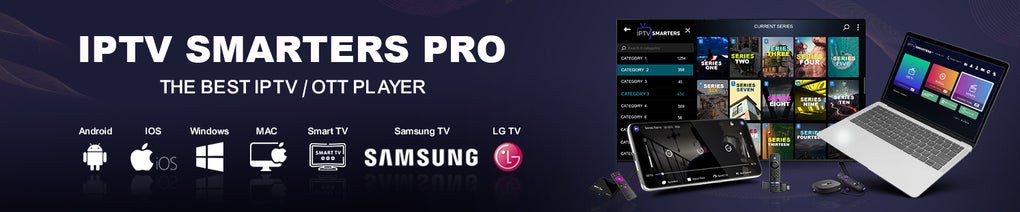

Download IPTV Smarters Pro – Stream Live TV, On‑Demand & Favorites on macOS
Overview
IPTV Smarters Pro for Mac brings the power of the widely‑used Android IPTV client to macOS, offering a smooth, secure, and feature‑rich environment for watching live television and on‑demand video streams. The application works with any IPTV service that supplies a username, password, and M3U URL, meaning you can connect to the same subscription you use on your phone or set‑top box without the need for extra hardware. Once logged in, the interface organizes channels by country, making it effortless to locate regional broadcasters, sports networks, or niche content.
Users can bookmark favourite channels, view program schedules, and adjust playback settings such as aspect ratio, audio track, and subtitle language. The built‑in multi‑screen mode lets you watch up to four channels side‑by‑side—a handy feature for sports fans who want to monitor multiple games at once. IPTV Smarters Pro also supports on‑demand libraries, allowing you to stream movies, series, or catch‑up TV directly from the operator’s catalog.
The macOS version retains the clean, intuitive design of its mobile counterpart, ensuring that both beginners and power users feel comfortable navigating the app. Security is a priority: credentials are stored locally and encrypted, and the client communicates with the IPTV server over HTTPS whenever possible, protecting your login details from interception. Whether you are a frequent traveler needing a portable streaming solution or a home user looking to replace a traditional cable box, IPTV Smarters Pro delivers a versatile, cost‑effective alternative that runs natively on your Mac.
Key Features
- Country‑Based Channel Organization: Channels are automatically grouped by country, allowing quick navigation to local and international stations.
- Favorites Management: Add any channel to a personal favorites list for one‑click access the next time you open the app.
- Electronic Program Guide (EPG): Integrated schedule view shows upcoming shows, enabling you to set reminders or plan viewing ahead.
- Multi‑Screen Playback: Up to four streams can be displayed simultaneously, perfect for monitoring multiple sports events or news feeds.
- On‑Demand Content: Stream movies, series, and catch‑up TV directly from the operator’s library without leaving the application.
- Playback Customization: Adjust aspect ratio, select audio tracks, enable subtitles, and start playback from the beginning of a program.
- Secure Credential Storage: Usernames and passwords are encrypted locally, and the app prefers HTTPS connections to protect data in transit.
- Cross‑Device Consistency: The macOS client mirrors the experience of the Android and iOS apps, so your settings and favorites sync across devices.
- Lightweight & Responsive UI: Built with native macOS components, the interface feels fast and fluid even on older Mac hardware.
- Regular Updates: The development team releases frequent patches that improve stability, add new codecs, and enhance security.
Each of these features is designed to give the user a complete IPTV experience without the clutter of unnecessary menus. The country‑based organization reduces the time spent scrolling through endless channel lists, while the favorites function creates a personalized hub for the channels you watch most. The EPG acts as a digital TV guide, providing real‑time information about what’s airing next, which is especially useful for planning around live events.
Multi‑screen playback sets IPTV Smarters Pro apart from many competitors, allowing you to keep an eye on multiple streams without opening additional windows or applications. On‑demand content expands the utility of the app beyond live TV, turning your Mac into a full‑featured media center. All these capabilities run securely, with encrypted credential storage and HTTPS communication, ensuring that your subscription details stay private.
Installation & Usage
Step‑by‑Step Installation
1. Download the Installer: Visit the official IPTV Smarters Pro website and click the “Download for macOS” button. The file is a signed .dmg package, guaranteeing it hasn’t been tampered with.
2. Open the DMG: Double‑click the downloaded file; macOS will mount a virtual drive containing the app and a shortcut to the Applications folder.
3.
Copy to Applications: Drag the IPTV Smarters Pro icon onto the Applications shortcut. This copies the app to your system’s standard program location.
4.
Allow Execution: The first time you launch the app, macOS may warn you that the developer is unidentified. Open System Settings → Privacy & Security and click “Open Anyway” to bypass the gatekeeper.
5.
Launch the App: Find IPTV Smarters Pro in your Launchpad or Applications folder and double‑click to start.
Configuring Your IPTV Service
Upon opening the application, you will be greeted with a clean login screen. Enter the three pieces of information supplied by your IPTV provider: Username, Password, and the M3U URL. Some providers also require a portal URL for EPG data; if so, enter it in the optional field. After clicking “Add Playlist,” the app validates the credentials and begins downloading the channel list. This process usually takes a few seconds, depending on the size of the playlist and your internet speed.
Using the Interface
The main window displays a sidebar with country tabs. Clicking a country expands a list of available channels. Selecting a channel opens the player in the central pane, where you can control playback, adjust volume, and access the on‑screen menu for settings like aspect ratio or audio track.
To add a channel to your favorites, click the heart icon next to the channel name; the channel will appear under the “Favorites” section for instant access. The EPG can be opened by clicking the calendar icon, revealing a schedule grid where you can set reminders. For multi‑screen viewing, select “Multi‑Screen” from the top menu and choose up to four channels to display in a split‑screen layout.
The on‑demand library is accessed via the “VOD” tab, where you can browse movies and series, filter by genre, and start streaming with a single click.
Updating the app is straightforward: the built‑in updater checks for new releases each time you launch the program. If an update is available, a notification appears in the top‑right corner; clicking it downloads and installs the latest version automatically. This ensures you always have the newest security patches and feature enhancements without manual intervention.
Compatibility & Pros / Cons
IPTV Smarters Pro is optimized for macOS 10.14 (Mojave) and later, including the latest Ventura and Sonoma releases. The application runs natively on Intel‑based Macs as well as Apple Silicon (M1, M2, and later) thanks to universal binary support. While the primary focus is macOS, the same service can be accessed on iOS, Android, and Windows devices using the corresponding IPTV Smarters Pro apps, allowing seamless cross‑platform usage. Minimum system requirements are modest: 2 GB RAM, 200 MB of free disk space, and a stable internet connection (minimum 3 Mbps for SD, 8 Mbps for HD). No additional decoders or hardware are needed; the software handles all streaming protocols internally.
Pros
- Native macOS experience with smooth performance on both Intel and Apple Silicon.
- Intuitive country‑based channel organization and easy favorites management.
- Multi‑screen mode lets you watch up to four channels simultaneously.
- Secure storage of credentials and HTTPS communication.
- Regular updates that keep the app stable and secure.
- Supports both live TV and on‑demand content in a single interface.
- Low system requirements; works on older Macs.
- Cross‑device sync with Android, iOS, and Windows versions.
Cons
- Requires a valid IPTV subscription; the app itself does not provide content.
- EPG data quality depends on the provider; some playlists have incomplete schedules.
- No built‑in parental controls; users must rely on provider filters.
- Occasional buffering on slower connections, especially with high‑definition streams.
- Limited customization of UI themes; only the default dark/light modes are available.
FAQ & Conclusion
Is IPTV Smarters Pro free to download?
Yes, the macOS client can be downloaded and installed free of charge. However, you still need a valid IPTV subscription from a provider to stream any channels.
Can I use IPTV Smarters Pro on a Windows PC?
While this article focuses on the macOS version, a separate Windows version of IPTV Smarters Pro is available from the same developer. The features and interface are nearly identical across platforms.
What internet speed do I need for HD streaming?
For stable HD (720p‑1080p) playback, a minimum of 8 Mbps is recommended. For 4K streams, aim for at least 25 Mbps to avoid buffering.
Does the app support subtitles?
Yes, if the IPTV provider includes subtitle tracks in the stream, you can enable or switch them from the playback menu.
How secure is my login information?
Credentials are encrypted locally on your Mac and the app prefers HTTPS connections to the IPTV server, minimizing the risk of interception.
IPTV Smarters Pro for Mac stands out as a polished, feature‑rich solution for anyone looking to replace traditional cable or satellite boxes with a flexible, software‑based streaming experience. Its native macOS design, robust multi‑screen capabilities, and secure handling of user data make it a top contender in the IPTV client market. If you already have an IPTV subscription, installing this client will instantly unlock a world of live channels and on‑demand content right on your Mac—no extra hardware required. Download IPTV Smarters Pro today and enjoy seamless streaming with a single click.
Overall Rating: 4.5/5
Pros: Native macOS performance, multi‑screen, secure login, regular updates.
Cons: Dependent on provider’s playlist quality, no parental controls.







